




Customers now ask AI assistants which clinic is open tonight or which workshop to attend this weekend.
If your location data or event details are inconsistent, you lose those recommendations and the rich results that drive bookings.
In this guide you learn how to model LocalBusiness and Event together, connect them to your Organization, and keep dynamic fields like hours and tickets accurate.
You get JSON-LD templates, governance checklists, and monitoring tips that work for single-location shops, clinic networks, and venues in Portugal and across the EU.
Use this playbook with our structured data pillar at Structured Data: The Complete Guide for SEO & AI to keep schemas stable through every release.
Why combine LocalBusiness and Event schema
Local businesses often host events—consultations, workshops, tastings, training.
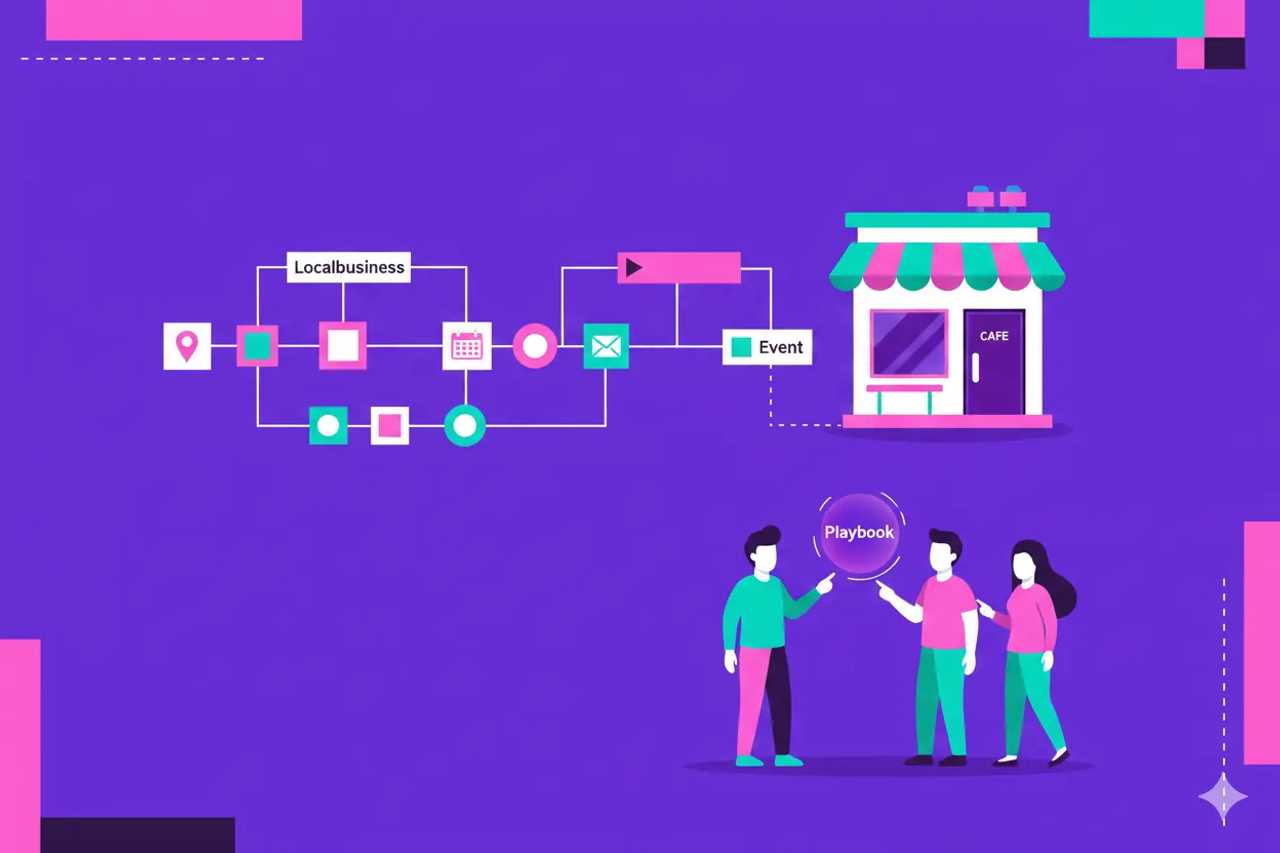
When you link LocalBusiness and Event entities, assistants and search engines know who is hosting, where, and when.
That clarity improves local pack visibility, event carousel eligibility, and AI answers that list nearby options.
It also keeps your entity graph coherent: Organization → LocalBusiness → Event with people and offers connected.
LocalBusiness essentials
@type: LocalBusiness or a subtype (MedicalClinic, Restaurant, Store, ProfessionalService).Required signals: name,
@id,url, address, geo coordinates, telephone, openingHoursSpecification.Recommended: image, priceRange, sameAs,
areaServed, paymentAccepted, menu or service pages.Connect to Organization via
parentOrganizationorisBranchOf. Use the Organization@idto keep the graph tight.Keep NAP consistent across site, schema, GBP, and directories. Mismatches hurt trust and AI answers.
Event essentials
@type: Event or subtype (BusinessEvent, EducationEvent, MusicEvent). Use EventSeries for recurring events when applicable.Required signals: name,
@id, startDate, eventAttendanceMode, eventStatus, location, offers.Recommended: endDate, description, performer or speaker, organizer, image, inLanguage, typicalAgeRange if relevant.
Update
eventStatuswhen canceled or postponed, and adjustoffersavailability and price for sold-out or free events.
Schema map: how entities connect
Organization anchors brand identity and feeds logo, sameAs, and contact points.
LocalBusiness instances reference the Organization and hold location-specific data.
Event references the LocalBusiness as both organizer and location when hosted on-site. If online, set eventAttendanceMode to Online and point to the streaming URL.
Person entities connect as speakers or hosts; add credentials for YMYL topics.
Offer connects to Event for ticketing; include priceCurrency, price, availability, and url.
JSON-LD example: single location with event
{
  "@context": "https://schema.org",
  "@type": "LocalBusiness",
  "@id": "https://example.com/locations/lisbon#localbusiness",
  "name": "Example Wellness Clinic Lisbon",
  "url": "https://example.com/locations/lisbon",
  "telephone": "+351-21-000-0000",
  "priceRange": "€€",
  "address": {
    "@type": "PostalAddress",
    "streetAddress": "Av. da Liberdade 100",
    "addressLocality": "Lisbon",
    "postalCode": "1250-140",
    "addressCountry": "PT"
  },
  "geo": {
    "@type": "GeoCoordinates",
    "latitude": 38.7200,
    "longitude": -9.1400
  },
  "openingHoursSpecification": [
    {
      "@type": "OpeningHoursSpecification",
      "dayOfWeek": ["Monday", "Tuesday", "Wednesday", "Thursday", "Friday"],
      "opens": "09:00",
      "closes": "19:00"
    },
    {
      "@type": "OpeningHoursSpecification",
      "dayOfWeek": "Saturday",
      "opens": "10:00",
      "closes": "14:00"
    }
  ],
  "parentOrganization": {
    "@type": "Organization",
    "@id": "https://example.com/#org",
    "name": "Example Wellness"
  }
}
{
  "@context": "https://schema.org",
  "@type": "Event",
  "@id": "https://example.com/events/posture-workshop-lisbon#event",
  "name": "Posture Workshop Lisbon",
  "description": "Hands-on posture training with our lead physiotherapist.",
  "startDate": "2025-03-20T18:00:00+00:00",
  "endDate": "2025-03-20T20:00:00+00:00",
  "eventAttendanceMode": "https://schema.org/OfflineEventAttendanceMode",
  "eventStatus": "https://schema.org/EventScheduled",
  "location": {
    "@id": "https://example.com/locations/lisbon#localbusiness"
  },
  "organizer": {
    "@id": "https://example.com/locations/lisbon#localbusiness"
  },
  "offers": {
    "@type": "Offer",
    "price": "30.00",
    "priceCurrency": "EUR",
    "availability": "https://schema.org/InStock",
    "url": "https://example.com/events/posture-workshop-lisbon"
  },
  "performer": {
    "@type": "Person",
    "@id": "https://example.com/team/marta-ferreira#person",
    "name": "Marta Ferreira",
    "jobTitle": "Lead Physiotherapist",
    "worksFor": {"@id": "https://example.com/#org"}
  }
}
Multi-location patterns
Create one LocalBusiness per location with unique
@id, address, geo, and hours. Connect all to the Organization.Maintain a locations sitemap to help discovery; include canonical URLs and hreflang where relevant.
Keep openingHoursSpecification and telephone accurate per location. Do not reuse data across cities.
For events that rotate across locations, either create separate Event entries per location or use EventSeries with instances that reference each LocalBusiness.
Add
areaServedfor service-area businesses; keep it realistic to avoid trust issues.
Managing dynamic data (hours, tickets, weather)
Store hours and event details in a source of truth (booking system, CMS) and generate JSON-LD from that data, not hard-coded text.
Automate updates when hours change for holidays; expire past events by setting eventStatus to
EventCancelledorEventPostponedas needed.Sync ticket availability and prices with your checkout; stale prices break eligibility and trust.
Add timezone offsets to startDate and endDate to prevent AI assistants from misreporting times.
Governance and roles
Operations owns LocalBusiness accuracy (NAP, hours, geo). Marketing owns descriptions and images. Product or events teams own Event details and offers.
Create a quarterly audit to verify hours, addresses, and event calendars; log changes.
Document
@idconventions in your CMS so new locations or events follow the same pattern.Remove defunct locations and mark closed events; redirect their URLs to relevant live pages.
Testing and QA
Run Rich Results Test for one URL per template (location page, event page) after changes.
Use Schema Markup Validator for syntax and schema.org compliance, especially when adding custom properties.
Crawl with a validator to check that every location page emits LocalBusiness and that every event page emits Event with required fields.
Check map embeds and phone numbers for usability; schema should mirror what users see.
Multi-language and EU considerations
Translate descriptions, street types, and date formats for each market; keep currency accurate (EUR for Portugal/EU).
Keep one
@idper location and per event; use localized text viainLanguagerather than new IDs.Comply with GDPR when collecting event registrations; link to privacy information from the event page.
If you serve multiple languages, align
hreflangwith schema language so assistants return the right version.
AI and assistant implications
Assistants use LocalBusiness schema to answer “near me” queries and Event schema to suggest plans. Incomplete or stale data lowers confidence.
Adding concise descriptions and clear locations helps AI disambiguate similar venue names.
Use FAQ on location and event pages to answer parking, accessibility, or refund questions; schema makes these answers easy for AI to surface.
Monitor how AI Overviews describe your locations and events; adjust descriptions and offers when wording drifts.
Measurement: track what matters
Search Console: monitor LocalBusiness and Event enhancements and impressions for location and event queries.
CTR: compare pages with complete schema vs before implementation; segment by device for local intent.
Conversions: track bookings, calls, or ticket sales tied to schema releases. Annotate dashboards when hours or offers change.
AI citations: log mentions of your locations and events in AI Overviews or assistants; correlate spikes with schema updates.
Data freshness: measure how long hours or event details stay unchanged; set targets to refresh before they go stale.
Data pipelines and automation
Centralize hours, addresses, and phone numbers in a master dataset (POS, booking, or CMS) and generate JSON-LD from that source to avoid drift.
Sync event data from your ticketing or calendar tool through webhooks or scheduled jobs; update eventStatus and offers automatically when inventory changes.
Use validation scripts in CI to fail builds when required LocalBusiness or Event fields are missing, null, or out of date.
Run a weekly crawl to detect pages missing schema, inconsistent timezones, or duplicate
@idvalues across locations.Store change logs so you know when hours or events shifted and can explain impression changes.
Off-page alignment for local credibility
Keep Google Business Profile, Apple Maps, and major directories aligned with the same NAP and hours. Schema that conflicts with GBP confuses assistants.
Earn local press and community links that repeat your full business name and location; link them back to the LocalBusiness URL to strengthen the entity.
List events on trusted calendars and use the same names, dates, and URLs as your Event schema. Consistency improves assistant trust.
Encourage reviews on reputable platforms; surface aggregate ratings on-page and match them with Review schema when eligible.
Use sameAs links on LocalBusiness to high-trust profiles, not to low-quality citations.
Case scenario: clinic network launching monthly workshops
A clinic group in Lisbon and Porto wants recurring posture workshops to drive bookings.
Risks: stale hours, inconsistent names, and separate event pages without location links.
The team executes this plan:
Model: create Organization and two LocalBusiness entities with stable
@idand geo. Define EventSeries with monthly instances that point to each location.Data: store hours and event slots in the booking system; expose them via API to the CMS to generate pages and JSON-LD.
Implementation: publish location pages with NAP, geo, hours, and FAQs. Publish event pages with Event schema referencing the location
@id, offers, and performer Person entities.QA: run Rich Results Test on one location page and one event page per city. Crawl to ensure every event references a location and includes timezone offsets.
Measurement: track event page impressions and conversions, plus calls to the locations during event weeks. Monitor AI Overview mentions for “posture workshop Lisbon” and “posture workshop Porto.”
Outcome: richer event carousels appear within two weeks, and AI assistants start recommending the workshops when asked about weekend activities in each city.
Rollout timeline you can reuse
Week 1: audit all location and event pages for schema, NAP consistency, and working CTAs. Define
@idrules and sameAs lists.Week 2: update top locations with clean LocalBusiness JSON-LD, geo, hours, and priceRange. Validate in Rich Results Test.
Week 3: ship Event templates that reference LocalBusiness, add offers and images, and connect performers or speakers. Test and crawl.
Week 4: automate data syncs from booking or ticketing systems, set dashboards for eligibility and conversions, and schedule monthly freshness checks.
QA checklist
LocalBusiness: name, address, geo, telephone, openingHoursSpecification present and matching on-page content; sameAs and parentOrganization set; priceRange reasonable.
Event: name, startDate with timezone, eventAttendanceMode, eventStatus, location, offers with currency and availability, organizer set; performer present when relevant.
IDs: unique
@idper location and event; Organization referenced consistently.Language: descriptions in the page language; currency and date formats localized.
Rendered HTML: schema appears in rendered output when JavaScript is used.
Indexing: location and event pages are indexable with canonical tags set.
Assistant prompt testing
Monthly, run prompts like “clinic near me open tonight,” “events in Lisbon this weekend,” and “[brand] workshop schedule.” Capture whether assistants cite your pages.
Add disambiguation prompts with city and neighborhood names to verify assistants pick the right location.
If assistants omit your events, check eventStatus, startDate, and offers first; then strengthen descriptions and on-page clarity.
Log prompt results alongside schema changes to see which fixes drive new citations.
Internal linking and navigation that reinforces schema
Build a location hub page that lists all branches with links using consistent names and cities; add a map embed and schema for each list item if practical.
Link from service pages to the nearest locations and from events to the locations hosting them. Use anchor text that includes the city or neighborhood.
On each location page, surface upcoming events with dates and CTAs; on each event page, link back to the host location and to related services.
Use breadcrumbs that reflect geography and category (Home > Locations > Lisbon > Clinic) and mirror that structure in
BreadcrumbListschema.
Conversion tips for location and event pages
Place booking or call buttons above the fold with local phone numbers and calendar options that match the offers in schema.
Show real-time availability when possible; align displayed availability with Offer availability so assistants and users see the same state.
Add parking, accessibility, and transit info. Include these in FAQs so schema can expose them to assistants.
For events, include refund policy, entry requirements, and language of the session; mirror these details in descriptions to reduce drop-off.
Portugal and EU specifics
Use local phone formats (+351) and street abbreviations familiar to Portuguese users; avoid US-centric address structures.
Display VAT/NIF where relevant for invoices; keep it consistent across Organization and LocalBusiness pages.
Honor GDPR by linking to privacy notices from event signup forms and by clarifying data use for ticketing; assistants may surface this info in answers.
Highlight multilingual support if staff speak PT/EN/ES; add
availableLanguageto LocalBusiness and Event when relevant.Note accessibility in venues (ramps, elevators) and include it in descriptions; this improves assistant recommendations for users with specific needs.
Tool stack to keep data stable
Google Business Profile and Search Console for visibility signals and enhancements.
Schema validators (Rich Results Test, Schema Markup Validator) for spot checks; Screaming Frog or Sitebulb with custom extraction to monitor at scale.
Monitoring and alerting: set up Looker or similar dashboards that track eligibility, impressions, and booking conversions per location and event.
Calendar and ticketing sync: ensure your booking or ticketing tool has reliable exports or APIs to feed schema fields without manual copy.
Change management: manage schema templates in version control; tie releases to tickets that list affected locations or events.
Experiment ideas to prove value fast
Add structured data and enhanced UX to one pilot location page (NAP clarity, FAQs, better CTAs) while leaving a similar location as control. Compare calls and bookings after two weeks.
Launch Event schema for a single recurring workshop with clear offers and speaker Person entities. Measure event carousel impressions and ticket sales vs previous runs without schema.
Test adding
availableLanguage, accessibility info, and parking details to one location and track AI assistant mentions that include those details.Introduce
EventSeriesfor recurring tours, then monitor crawl stats and assistant recommendations compared to individual events only.
Maturity stages
Baseline: consistent NAP and hours on-page; basic LocalBusiness schema live; events listed but without structured data.
Connected: LocalBusiness and Event schemas reference Organization and each other; persons and offers are present; sameAs aligned with GBP and directories.
Optimized: automated data feeds reduce drift; dashboards track eligibility, citations, and conversions; prompts show assistants citing locations and events accurately.
Adaptive: processes exist to retire closed locations, cancel or postpone events cleanly, and localize quickly for new markets.
Compliance, safety, and seasonal updates
Post health or safety requirements on location and event pages; mirror them in descriptions so assistants surface accurate expectations.
Schedule schema updates for holiday hours and confirm with Rich Results Test. Use
specialOpeningHoursSpecificationwhen needed.Store consent for staff photos and speaker images; remove them from schema and pages if consent changes.
Keep privacy notices linked from event forms, and ensure Offer URLs lead to secure checkout pages.
For youth events, add age guidance in descriptions and enforce it in ticketing to avoid negative experiences.
Troubleshooting common errors
Missing required Event fields (startDate, location, offers). Fix by pulling data from the event system directly.
LocalBusiness without geo or with mismatched address formats. Standardize addresses and add coordinates.
Outdated eventStatus or canceled events left live. Mark as cancelled and update offers to
SoldOutor remove offers.Duplicate LocalBusiness IDs across locations. Ensure each uses a unique URL with #anchor.
Schema injected late via JavaScript and missing in rendered HTML. Prefer server-side JSON-LD.
Content and UX tips that reinforce schema
Put NAP data and hours above the fold on location pages. Show event time, venue, price, and CTA prominently on event pages.
Add maps, parking info, and transit options to reduce bounce and align with schema details.
For events, include rich media (photos, agendas, speaker bios) that match structured data properties.
For multi-location brands, include a locator page with filters and clear links to each LocalBusiness page.
Seasonal campaign ideas
Create EventSeries for recurring holiday offers or festivals and link them to each location hosting dates. Include seasonal hours in LocalBusiness and promote limited-time offers through Offer fields.
Add temporary FAQs for parking, crowd control, or special menus. Remove them when the season ends to avoid confusing assistants.
Run post-campaign audits to retire expired events, update eventStatus, and reset hours to standard schedules.
Analytics views that surface issues fast
Build a dashboard that lists every location and event with status: page live, schema detected, last update date, and latest Rich Results Test result.
Track impressions, CTR, bookings, and calls per location, and ticket sales per event; annotate when hours or offers change.
Monitor error and warning counts from Search Console enhancements for LocalBusiness and Event. Set alerts for spikes after deployments.
Segment AI citations by location and event to see which descriptions and offers attract assistant mentions.
Include freshness metrics: days since last hours update, days until next event date, and count of canceled events still indexed.
How AISO Hub can help
AISO Hub designs entity graphs that connect your Organization, LocalBusiness locations, and Events so assistants and searchers always see accurate details.
We audit NAP consistency, rebuild JSON-LD templates, and set monitoring for hours, tickets, and offers.
AISO Audit: find broken or missing schema, NAP drift, and event data errors with a clear fix plan
AISO Foundation: deploy clean templates and data pipelines so hours, offers, and venues stay accurate
AISO Optimize: test new event formats, FAQs, and CTAs and measure their impact on bookings and citations
AISO Monitor: track eligibility, citations, and data freshness with alerts before issues hurt revenue
Conclusion: keep locations and events trustworthy
LocalBusiness and Event schema turn your physical presence and calendar into reliable data that search engines and AI assistants can use.
Model each entity with stable IDs, keep dynamic fields current, and connect locations, events, and people into one graph.
Validate after every change, measure impact on bookings and citations, and retire outdated data fast.
With disciplined governance and automation, you stay visible in maps, carousels, and AI recommendations.